The Cut toolbox is a customizable extension that allows us to add or remove options as needed.
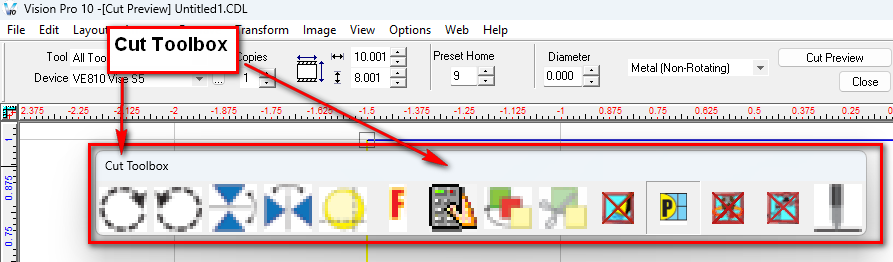
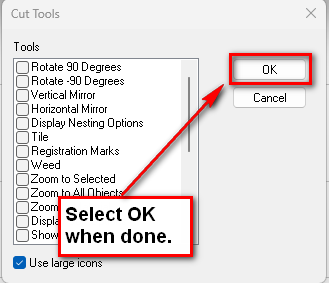
By right-clicking on the Cut Toolbox, we can add or remove features. Some of these features are not commonly used.
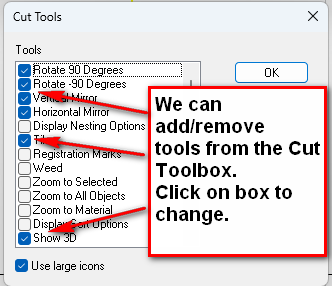
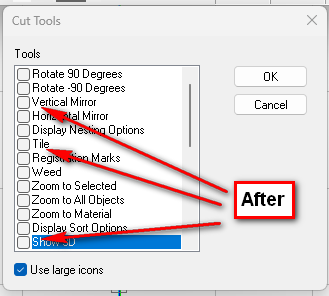
Finally, click OK to close the Cut Tools menu.

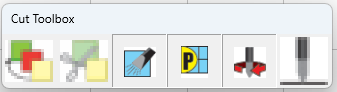
Now we have easy access to our most-used tools.
Check back next month for our next Engraving or CNC Routing Quick Tip. Contact Vision Engraving & Routing Systems to learn more about Modifying the Cut Toolbox and Vision Engraving & Routing Software. To learn more about Vision’s machines and what they can do for your business, go to www.visionengravers.com or call 1-888-637-1737. Be sure to check out our All Post List, for more Engraving Machines and CNC Routing tips and tricks.