Skip to content
Engraving and CNC Routing Blog
Engraving & Routing Tips & Tricks.
Home
Engraving and Routing Quick-Tips
Vision News
CNC Routers
Engraving Machines
Videos
All Post List
←
Repeating a tool path
Using White Registration Marks with DACS
→
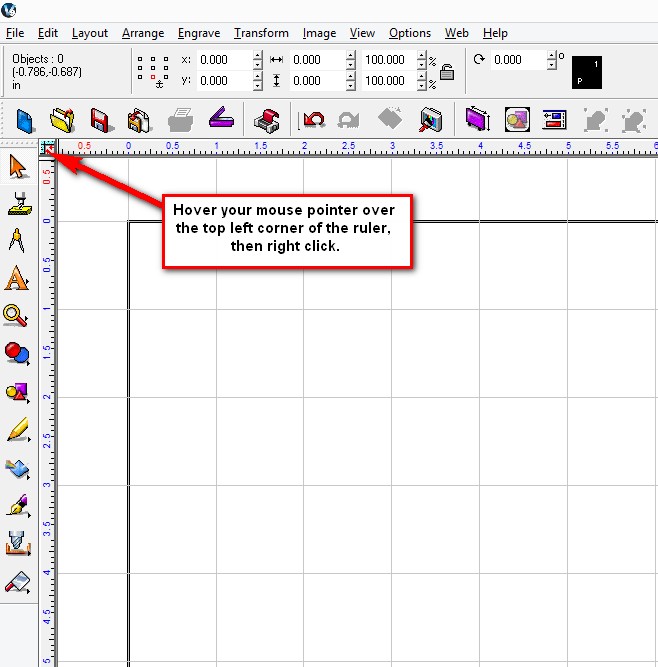
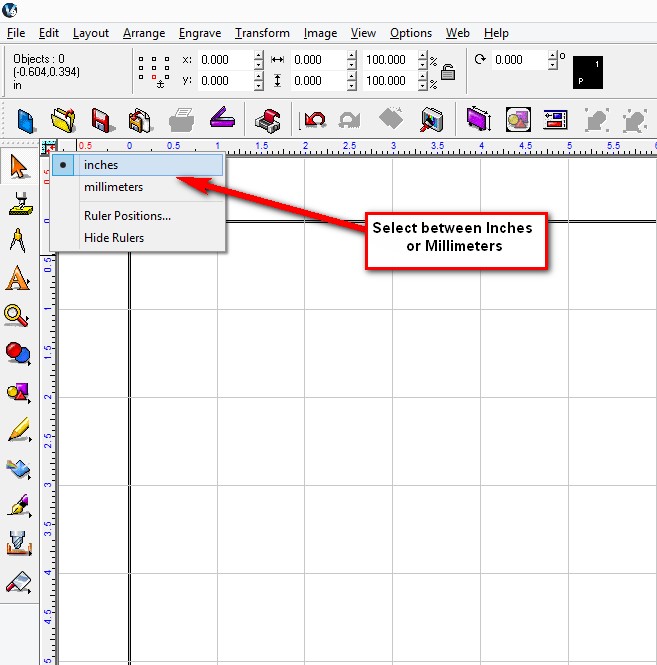
How to switch between Imperial or Metric System in Vision Software
Posted on
January 6, 2015
by
Admin
This entry was posted in
Quick Tips
,
Vision Software Tips
and tagged
CNC Routing Software
,
Vision Pro software
,
Vision Software
. Bookmark the
permalink
.
←
Repeating a tool path
Using White Registration Marks with DACS
→
Leave a Reply
You must be
logged in
to post a comment.
Search for:
Categories
Categories
Select Category
Engraving & Routing Tutorials
Quick Tips
Vision News
Vision Software Tips
Recent Posts
Modifying the Cut Toolbox
Setting up Quill Resin Braille Pen Instructions
Text To Graphics
Centering an object inside an object Shortcut Keys
FLX Engraving Tools Explained
New Router Options: Drag Knife & Creasing Wheel.
Multiples in Vision Express Software
Braille Multiples on pre-cut Plastic
Creating a CSV or TSV file
Rotating an object
Setting the Default Vise position (Home 9)
Rename & Save A Job Express & VE810 Engraver
Clearing up Blurry Fiducials
QR Code Levels of Correction
Plate Size Adjustment
Archives
Archives
Select Month
June 2026
March 2026
February 2026
December 2025
October 2025
August 2025
June 2025
April 2025
January 2025
December 2024
October 2024
July 2024
May 2024
April 2024
March 2024
February 2024
January 2024
December 2023
November 2023
October 2023
September 2023
August 2023
July 2023
June 2023
May 2023
April 2023
March 2023
February 2023
January 2023
December 2022
November 2022
October 2022
September 2022
August 2022
June 2022
May 2022
April 2022
March 2022
February 2022
January 2022
December 2021
November 2021
October 2021
September 2021
August 2021
July 2021
May 2021
April 2021
March 2021
February 2021
January 2021
December 2020
November 2020
October 2020
September 2020
August 2020
July 2020
June 2020
May 2020
April 2020
March 2020
February 2020
January 2020
December 2019
November 2019
October 2019
September 2019
August 2019
July 2019
June 2019
May 2019
April 2019
March 2019
February 2019
January 2019
December 2018
November 2018
October 2018
September 2018
August 2018
July 2018
June 2018
May 2018
April 2018
March 2018
February 2018
January 2018
December 2017
November 2017
October 2017
September 2017
August 2017
July 2017
June 2017
May 2017
April 2017
March 2017
February 2017
January 2017
December 2016
November 2016
October 2016
September 2016
August 2016
July 2016
June 2016
May 2016
April 2016
March 2016
February 2016
January 2016
December 2015
November 2015
October 2015
September 2015
August 2015
July 2015
June 2015
May 2015
April 2015
March 2015
February 2015
January 2015
November 2014
October 2014
September 2014
August 2014
July 2014
June 2014
May 2014
April 2014
March 2014
February 2014
January 2014
December 2013
November 2013
October 2013
September 2013
July 2013
June 2013
May 2013
April 2013
February 2013
January 2013
December 2012
November 2012
October 2012
September 2012
August 2012
July 2012
June 2012
May 2012
April 2012
March 2012
February 2012
January 2012
October 2011
September 2011
August 2011
July 2011
June 2011
May 2011
April 2011
March 2011
February 2011
August 2010
July 2010
May 2010
April 2010
February 2010
January 2010
January 2015
S
M
T
W
T
F
S
1
2
3
4
5
6
7
8
9
10
11
12
13
14
15
16
17
18
19
20
21
22
23
24
25
26
27
28
29
30
31
« Nov
Feb »
Contact Us
Email: info@visionengravers.com Phone: (888) 637-1737 Local/International: (602) 439-0600